case study
Maintaining a 15-year-old plugin.
Then building its replacement.
CSS & JavaScript Toolbox has been on wordpress.org since 2011 and runs on 10,000 sites. I have been its core maintainer since November 2019, taking it from v9.4 to v12.0.6. In 2025 its owner and I started WP Snippets AI, an AI-native successor I designed and built from scratch. This is what it looks like to be trusted with someone else's legacy codebase, and then handed the blank page.
Role
Core maintainer (CJT) - sole developer (WP Snippets AI)
Engagement
Ongoing partnership, since November 2019
Scale
10,000 active installs · 540,866 downloads
Stack
PHP 7.4+ · React · TypeScript · WP REST API · Gutenberg · Elementor
the two plugins
CSS & JavaScript Toolbox is a code snippet manager: write CSS, JavaScript, PHP, or HTML into a code block and choose exactly where on the site it runs. It has been doing that since 2011, which in WordPress terms is several eras of best practice ago. I did not write it. I inherited it, and the job has been to keep it safe, compatible, and shipping without disturbing the people already running it.
WP Snippets AI is the other half. Same problem, same owner, new plugin - a joint venture where product decisions are shared and the engineering is entirely mine. 534 commits in, it does what CJT does plus what the category now expects: AI generation, a real editor, and an admin built this decade.
the challenge
Two problems that pull in opposite directions.
The first is that CJT works. Ten thousand sites depend on code blocks resolving to the right locations, and any change that alters behavior is a bug no matter how much better the new behavior is. That rules out most of the satisfying refactors.
The second is that the category moved. Snippet managers now compete on AI, on editor quality, and on block editor support, and a plugin whose UI predates the block editor cannot grow into that. Modernizing CJT in place would have meant risking the first problem to solve the second.
the plugin today
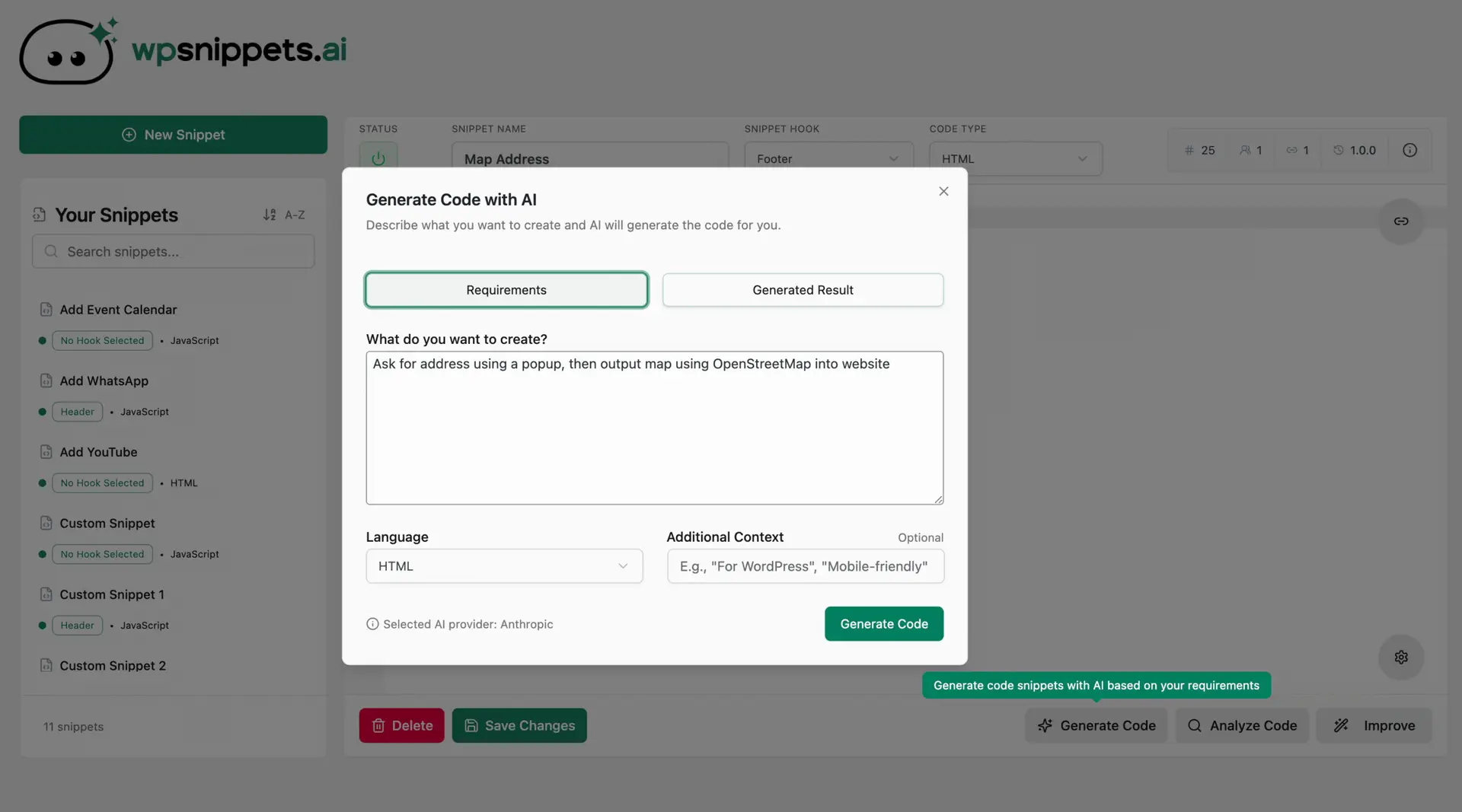
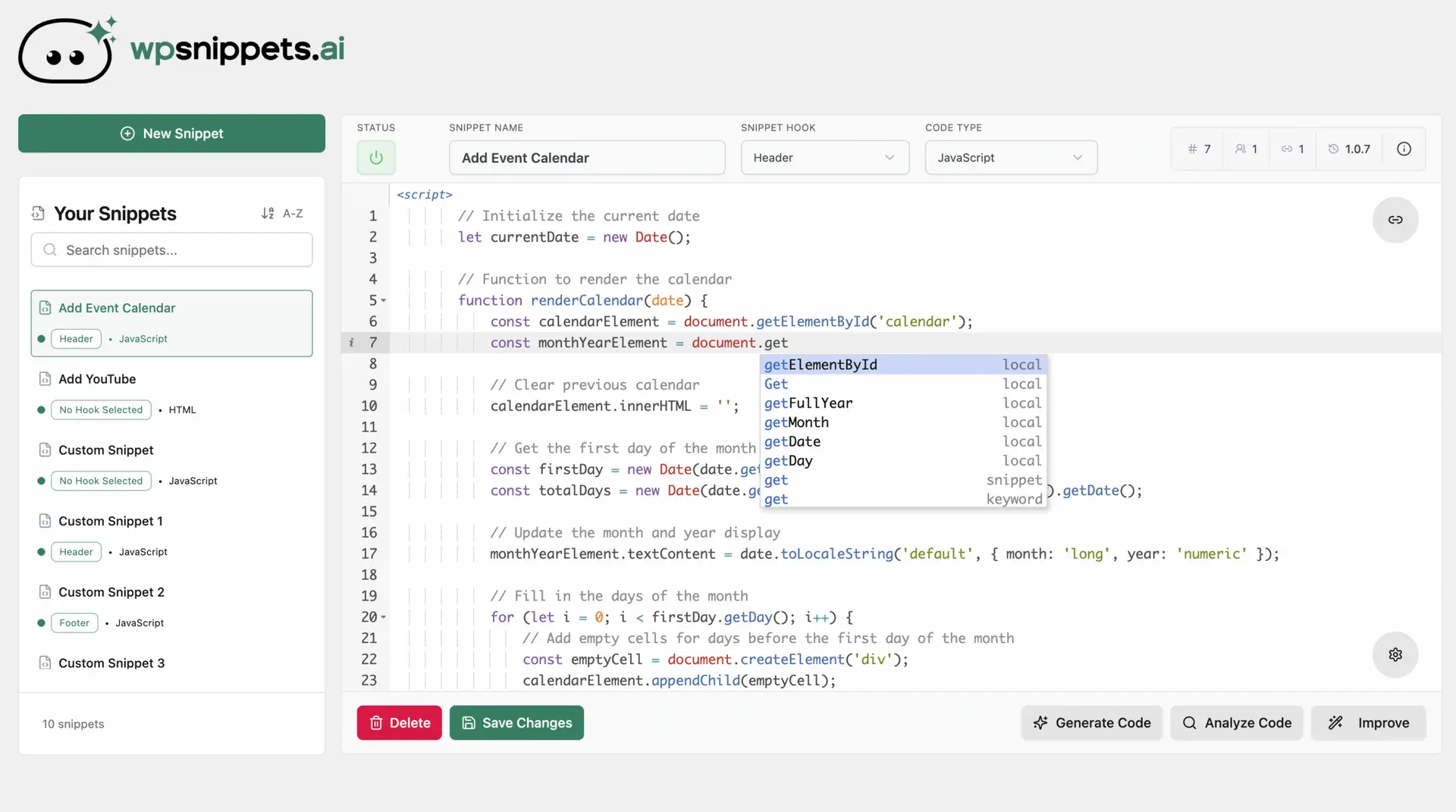
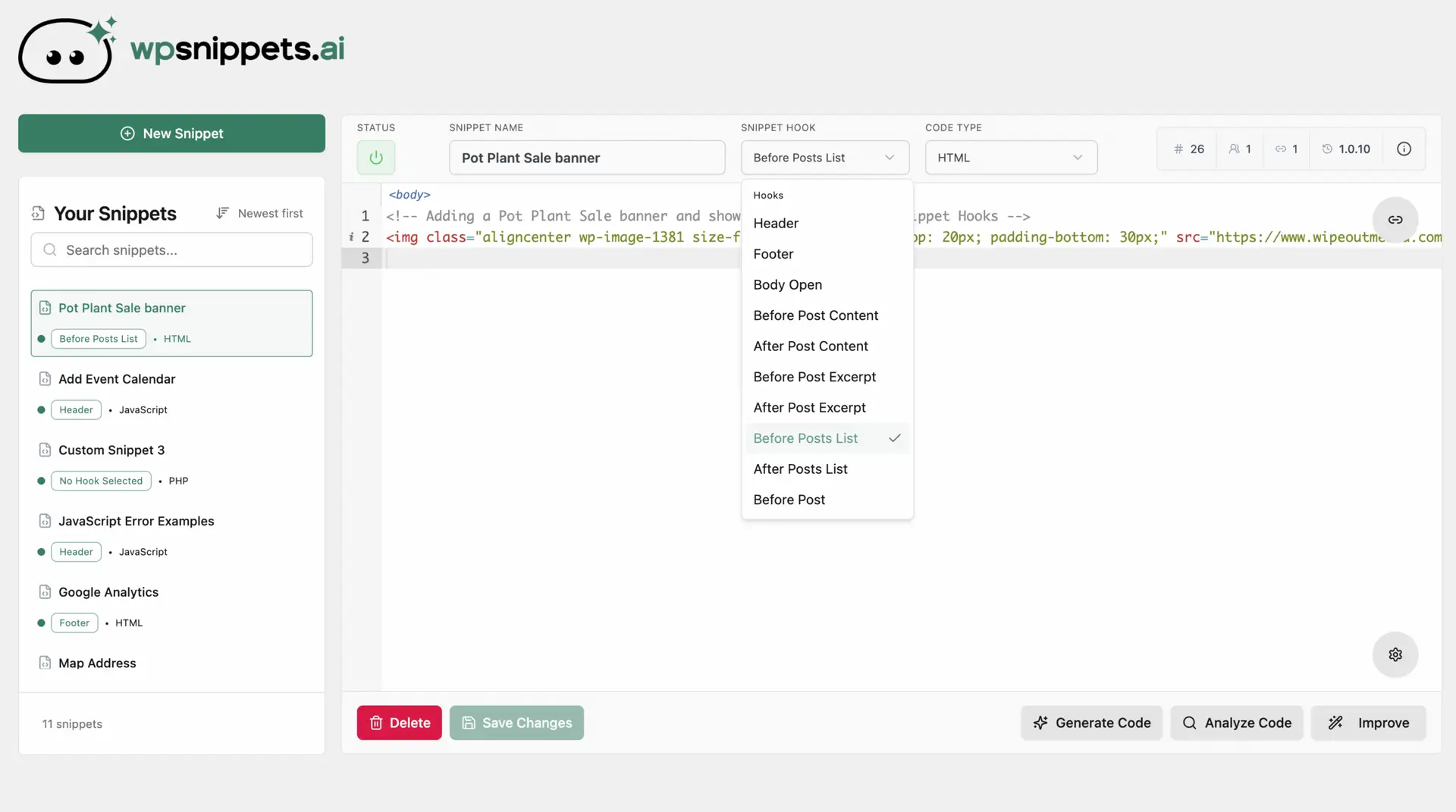
decisions that mattered
Maintenance when 10,000 sites are downstream
CSS & JavaScript Toolbox was first published in 2011 and I did not write it. I took it over at v9.4 in November 2019; it is v12.0.6 today. Every release lands on live sites whose owners never asked for change, and a good share of those installs are unattended - set up years ago by someone who has since moved on. So the rule is narrow: fix what is dangerous, leave what is merely old. v12.0.3 was a security release that added input validation and closed path traversal holes without altering one user-facing behavior. A rewrite would have been far more satisfying, and it would have broken assignment data on ten thousand installs.
A successor instead of a rewrite
The obvious move for a 15-year-old plugin is to modernize it in place. We did the opposite and started WP Snippets AI as a separate product. CJT's assignment model - code blocks mapped to thousands of locations across posts, pages, categories, and custom post types - is load-bearing for every site running it, and no migration path was worth that risk. A new plugin could take a modern architecture without dragging an existing install base through it. CJT keeps getting maintained. The new product gets to be new.
Architecture that assumes the code will misbehave
The core feature is executing arbitrary PHP, CSS, and JavaScript that a user pasted or an AI generated. That single fact shapes the whole design. WP Snippets AI is 117 classes under a PSR-4 namespace: a DI container and service providers, repositories over custom tables with schema migrations, REST controllers under a wpsai/v1 namespace, and separate sanitization and validation layers. Injection, minification, and rate limiting are isolated services with their own failure modes, so a snippet that throws takes down a snippet rather than the site.
Four AI providers behind one factory
OpenAI, Anthropic, Gemini, and xAI all sit behind a provider factory, and generated code passes a response validator before it ever reaches the editor. Two reasons that matters. Model lineups change every few months and the UI should never notice. And a model that returns prose where PHP was expected should fail at the boundary, not in somebody's footer. Users bring their own API key, so there is no inference cost baked into the plugin and no code leaves a site without explicit consent.
The caching fight that shipped as v2.2.0
Users on aggressive page and object caching, LiteSpeed especially, would save a snippet and watch the old version come back. The admin looked broken. It was not - the REST GETs were being served from cache. Every wpsai/v1 response now carries Cache-Control: no-store, no-cache, must-revalidate, calls nocache_headers(), and defines DONOTCACHEPAGE, while the client sends anti-cache headers with a request ID and appends a cache-buster to GETs. The interesting bug was second-order: my own client-side dedupe cache was storing completed response data, which masked the stale reads and made the whole thing look intermittent. It dedupes in-flight requests only now. It shipped with cache health and diagnostics endpoints plus an admin panel that detects the active caching layer and names what to exclude, which turned a recurring support thread into something users resolve themselves.
anatomy of a snippet
This is the path a snippet travels from a sentence in a text box to code running on a live page:
Describe
The user says what they want in plain English. The request goes to their chosen provider - OpenAI, Anthropic, Gemini, or xAI - behind a single factory.
Validate
Generated code passes a response validator before it reaches the editor. Output that is not what was asked for fails at the boundary.
Edit
An Ace-based editor with highlighting, diffing, and revision history. Refinement is a conversation: every iteration is kept and can be rolled back.
Place
The snippet is assigned to one of 20+ hook locations, with condition sets deciding which pages it actually runs on.
Harden
Sanitization and validation run server-side, minified output is cached in transients, and the AI endpoints sit behind a rate limiter.
Render
The injection service registers the hook and the code runs. Bad code is the user's to write; bad placement is mine to prevent.
what shipped
AI code generation across four providers, bring-your-own-key
Iterative refinement with a visual history timeline
React + TypeScript admin built on @wordpress/scripts
Ace editor with highlighting, diffing, and revision rollback
Conditional placement across 20+ hook locations
Elementor integration - two custom widgets and Elementor placements
A custom Gutenberg block for CJT Plus, backed by its own REST route
Cache health and diagnostics endpoints with an in-admin Debug Center
Licensing, onboarding, consented telemetry, self-hosted updates
results
10,000
Active installs
540k
Downloads
v12.0.6
Current CJT version
534
Commits on WP Snippets AI
The first three numbers are wordpress.org's, not mine - active installs and download counts are published on the plugin's own listing, where it currently sits at 94/100 across 85 ratings. What they measure is trust rather than growth: ten thousand sites that kept the plugin installed through six years of releases I signed off on. WP Snippets AI is too new for a number like that, so it gets the only honest one I have.
why this matters to you
Both plugins are on one page because they prove two different things. The first is that I can be handed a codebase I did not write, that I cannot safely rewrite, and that thousands of people depend on, and keep it secure and shipping for six years. The second is that I can start from an empty repository and build a complete commercial product - architecture, admin UI, AI integration, licensing, release pipeline - on my own.
Most WordPress work needs one of those two. If you have an aging plugin or site that needs someone careful with it, or a product that needs building from nothing, that is the same gap I fill.